Have been hearing about vibe coding for while now and it’s finally hit audio programming world. So decided to test it myself — building audio plugin from scratch using Claude Code, with zero hand-written code. Here’s what worked, what didn’t and what surprised about own mindset along way. Timecodes:
00:00 — Vibe Coding Hits Audio Programming
00:20 — Confession: Never Tried This
00:58 — About Audio Programmer
01:31 — Choosing LLM & Getting Started
02:10 — First Prompt: Building Basic Gain Plugin
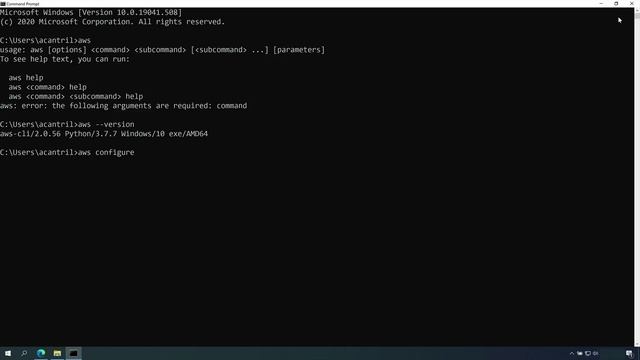
03:24 — Setting Up Claude Code Step-by-Step
05:27 — Troubleshooting Install
08:47 — Creating Our Project & Launching Claude Code
10:57 — Magic Prompt: Watching it Scaffold Everything
13:52 — First Build & Test — It Works!
14:39 — Inspecting Code: What did it Actually Write?
15:43 — Refining: Adding dB Scaling & Logarithmic Gain
18:13 — Getting Plugin into DAW
20:57 — Testing with Real Audio
21:56 — Custom UI Experiment: Rotary Slider & Styling
23:33 — Pushing Limits: Advanced Look & Feel
25:29 — Where UI Broke Down
27:37 — What Learned: Psychology, Workflow & Honest Takeaways
29:08 — What’s Next for this Series RESOURCES MENTIONED:
Claude Code: https://claude.ai
JUCE Framework: https://juce.com
iPlug 2 (Oli Larkin): https://iplug2.github.io
CMake: https://cmake.org
Xcode (Mac): Available on Mac App Store
Visual Studio (Windows): https://visualstudio.microsoft.com WHAT USED:
Claude Max plan
Claude Code (CLI tool)
JUCE framework (fetched via CMake)
Ableton Live (DAW testing) Playlists:
https://rutube.ru/plst/888999
https://vkvideo.ru/playlist/-235081080_55 | | Original video:
https://youtu.be/qeCYi0pwi3I











© 2026 MICLIP.RU